
Give every masjid its own app.
Parents apply online. Teachers and directors approve students, adjust pricing, and track payments. Every family knows exactly what happens next — on a portal that carries your masjid’s own name.
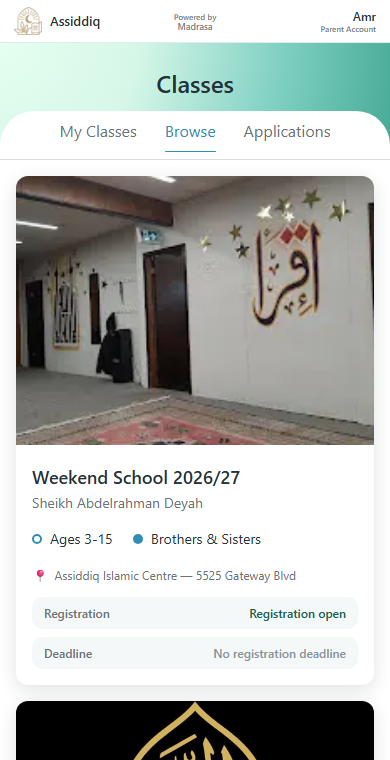
Registration shouldn’t live across paper forms, group chats, and memory.
Applications scattered across paper forms, texts, and spreadsheets.
Payment status, waivers, and custom pricing tracked by memory.
Parents asking the same question because there is no single portal.
Teachers switching between rosters, schedules, notes, and group chats.
A community program that looks generic instead of masjid-branded.
From public program page to running classroom.
Build the program
Directors set up classes, tracks, schedules, and pricing in one structured builder — no spreadsheet required.
Parents apply
Families browse the masjid's own portal, pick a student and track, and submit an application with a clear status.
Staff review
Teachers and directors approve, waitlist, waive, adjust pricing, or invite by code — every decision keeps its own audit trail.
Programs run
Teachers manage rosters, attendance, notes, and announcements from the same branded app all season.
The actual screens, not a pitch deck.
These are real Madrasa screens from a live masjid, not mockups.
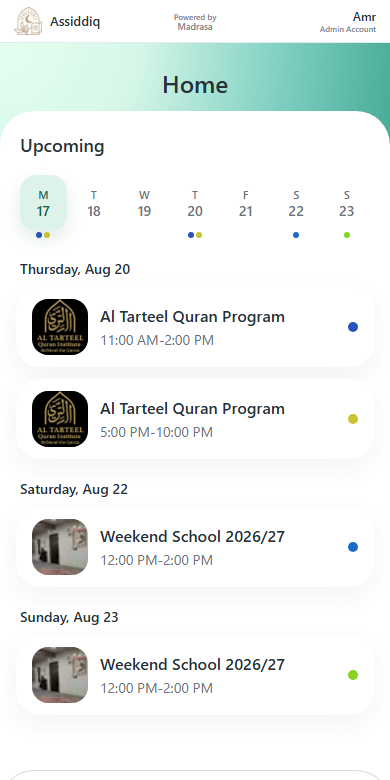
Everyone starts at Home
Teachers and directors see today's and this week's sessions the moment they open the app — with the class thumbnail, time, and track, not a spreadsheet tab.
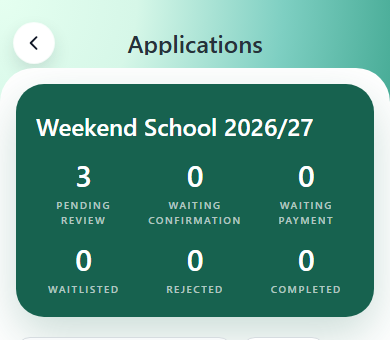
Applications, not group chats
Every application lands in one dashboard — pending review, waiting on confirmation, waiting on payment — so nothing gets tracked by memory.
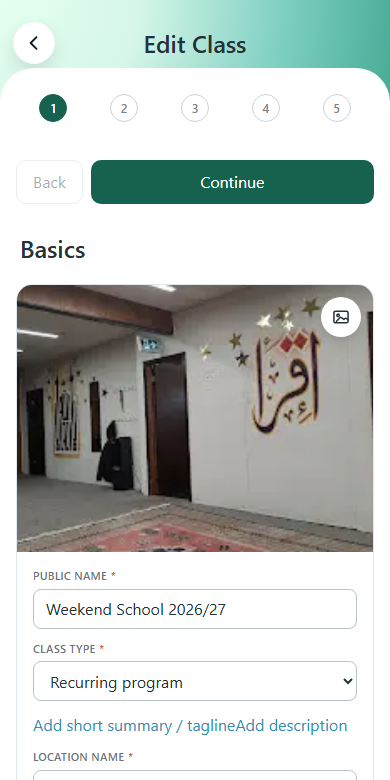
Build the program, not just the paperwork
Photos, schedule, tracks, and pricing all live in one guided builder — the same one used to set up this masjid's actual weekend school.
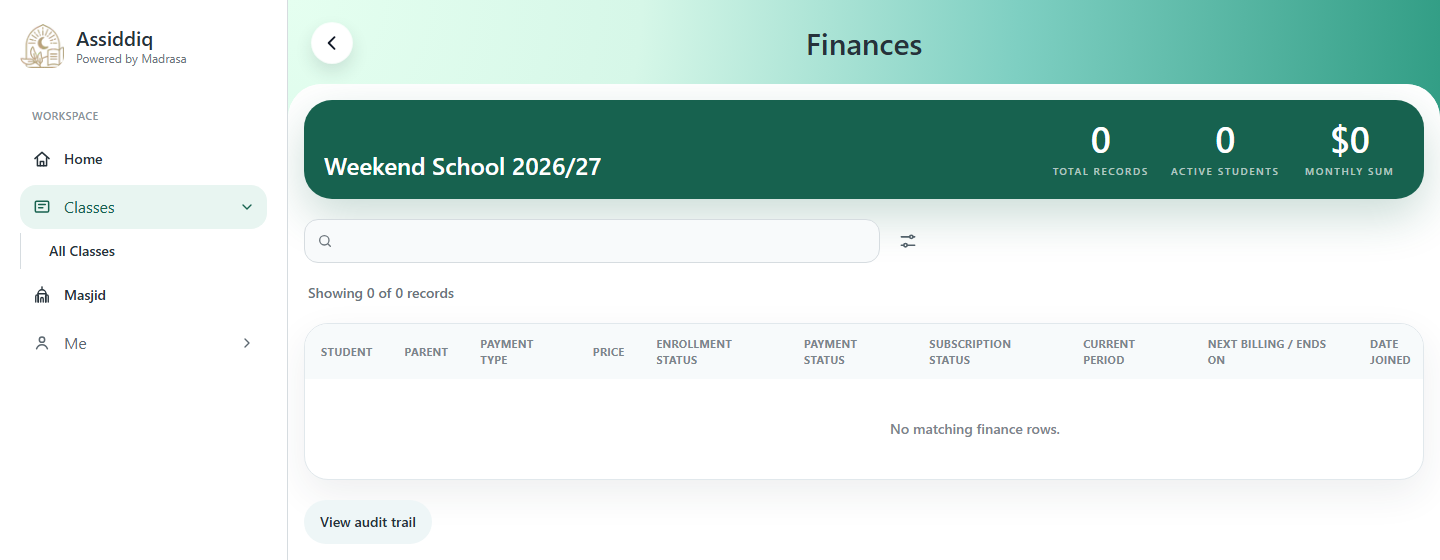
Every finance detail, on any screen.
The same finance table a director sees on a laptop — payment type, status, current period, next billing date — no side spreadsheet required.
Built for the full program lifecycle.
Not a generic toolkit — the actual jobs masjid directors, teachers, parents, and students repeat every week.
Enrollment
Public program pages · Applications · Approval workflow · Waitlists · Invite codes · Track selection
Payments
Stripe checkout · Monthly & annual plans · Waivers · Custom pricing · Finance audit trail
Classroom
Rosters · Attendance · Session views · Student notes · Announcements · Exports
Branding
Subdomain portal · Installable PWA · Masjid logo & name · Teacher contact · Powered by Madrasa
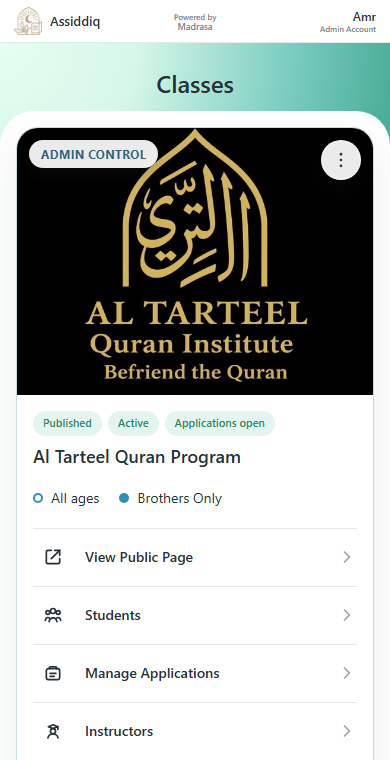
Every organization gets a branded Madrasa app.
A masjid runs on its own subdomain, shows its own name and logo, and installs as its own home-screen app — while Madrasa stays quietly in the background as the engine underneath. This is a real program page from a real masjid running on Madrasa today.
assiddiq
assiddiq.madrasa.ca · Live today
alrashid
alrashid.madrasa.ca · Coming soon
yourmasjid
yourmasjid.madrasa.ca · Your subdomain
Pilot-friendly pricing while Madrasa is growing.
Madrasa is early-stage and works best with partner organizations that want a close setup process, not a generic self-serve plan.
Pilot rollout
For a masjid launching Madrasa with a small number of programs and a hands-on setup period.
Custom pilot pricing
Partner organization
For schools and masjids running multiple programs, staff roles, branded PWA setup, and payment operations.
Quoted after discovery